Cookie consent for OpenCart 3 and 4
Cookie consent for OpenCart, with separate connectors for 3.x and 4.x. Consent Mode v2 and pixel gating included. Installs in minutes.
or see all twelve platforms
Why OpenCart sites need consent that actually blocks
OpenCart runs a large number of small and mid-sized shops, particularly outside the English-speaking market. It is also poorly served by the major consent vendors, most of which offer a JavaScript snippet and leave the integration to you.
Installing on OpenCart
01
Upload the right connector
Extensions → Installer → Upload. The package contains two connectors — one for OpenCart 4.x, one for 3.x — and the guide shows how to check which you have.
02
Enable & refresh
Enable under Extensions → Modules. On OpenCart 3, press Refresh under Extensions → Modifications — the step most people miss.
03
Run setup
The setup screen has already read your credentials from config.php. Realistic time: 5 to 10 minutes.
What’s specific to OpenCart
On OpenCart 3 there is an extra step that is easy to miss and breaks everything if you skip it. After uploading, you must go to Extensions → Modifications and press the blue Refresh button. Without it, the connector is installed but never actually applied, and no banner appears — with no error message to tell you why. OpenCart 4 removed that screen entirely, which is precisely why the two versions need different connectors.
A second quirk: if the module page returns Permission Denied, it is not a bug. Go to System → Users → User Groups, edit your group, tick both Access and Modify for the Cookie Craft entry, then log out and back in. OpenCart does this with every newly installed extension — and both steps are in your generated guide, in the right place.

Included on OpenCart, not upsold
No feature is held back for a higher tier. One plan, everything in it.
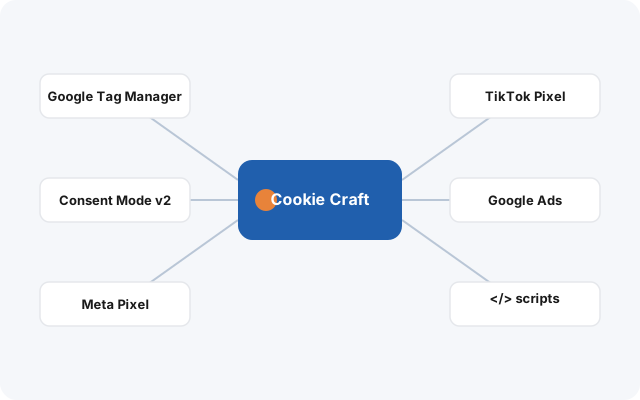
Google Consent Mode v2
The four signals GA4 and Google Ads need to run properly in the EEA — analytics_storage, ad_storage, ad_user_data, ad_personalization — set from your visitor’s real choice.
GTM, Meta & TikTok
Google Tag Manager, Meta Pixel and TikTok Pixel get base placement and consent-aware loading — no snippets pasted into your OpenCart templates, no second plugin to gate them. Your tracking plan still defines the events and conversions.
One licence, one root domain
Your storefront, a separate admin domain and any staging copies under one root domain are all covered by a single licence — no per-subdomain counting.
A guide for your exact site
Your install guide is generated with your real OpenCart paths already filled in, in twelve languages — no example.com placeholders to translate into your own setup.
Why it matters here
OpenCart shop owners usually manage the store themselves and are not looking for a project. Two things follow: the installation has to be genuinely short, and the instructions have to account for the platform’s real behaviour rather than assuming everything works first try.
The commercial argument is simple. Most consent vendors either do not support OpenCart or expect you to wire up a generic snippet yourself. Cookie Craft ships a connector built for it, tested on both major versions.
What it does — and what it doesn’t
Cookie Craft does not scan your OpenCart site to discover cookies automatically, and it does not write your privacy policy for you. It gives you the mechanism: a banner your visitors actually interact with, real blocking of the scripts you configure, and correct Consent Mode v2 signals to Google. What you declare in it is up to you.
Consent for OpenCart, done properly.
Self-hosted, first-party, and everything included — €25/month or €240/year per root domain.