
Measure the journey in GA4. Optimize the right conversions in Google Ads.
Cookie Craft gives Google Tag Manager, GA4 and Google Ads the consent state they need before Google tags make their first consent-dependent decision. Track the journey, define the conversions that matter, and keep bidding data free of duplicate or premature events.
related: Tag Manager · Consent Mode v2
GA4 and Google Ads are not the same thing
GA4 is the analytics system that records events and links them to traffic sources, sessions and users. Google Ads is the system that buys traffic and optimises campaigns based on conversions. Linking the accounts enables audiences, reporting and the transfer of key events — but it does not mean every GA4 event should automatically become a primary conversion used for bidding.
The data flow, under one consent state
Site interaction → dataLayer event → GTM trigger → GA4 event and/or Google Ads tag → reporting and optimisation — all under the consent state Cookie Craft has already set.
The website produces the event (a confirmed form, a phone click, a completed order). The dataLayer describes it. GTM distributes it to GA4, Google Ads and — when consent exists — the advertising platforms. GA4 explains the journey; Google Ads optimises on the conversions you choose.
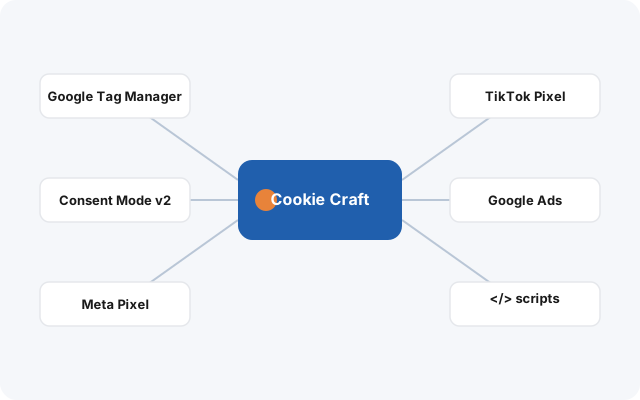
What Cookie Craft does for Consent Mode v2
It sets the four Google signals to denied by default and updates them to match the visitor’s choice.
analytics_storage
Controls access to the storage used for analytics — GA4 respects it before measuring.
ad_storage
Controls the storage used for advertising, so Ads tags behave correctly in the EEA.
ad_user_data · ad_personalization
Signal whether user data may be sent to Google for advertising, and used for personalised ads.
Native Ads conversions vs GA4 import — and the anti-duplication rule
| Option | Strengths | Watch out for |
|---|---|---|
| Google Ads conversion via GTM | Direct signal for Ads, control over counting/window/value, dedicated diagnostics, enhanced conversions support. | Needs a separate Ads tag and careful trigger mapping. |
| Conversion imported from a GA4 key event | Simpler when the GA4 event is already clean; one shared definition between analytics and Ads. | Attribution/processing differences; high duplication risk if a native Ads tag also exists. |
The rule: for the same business action, never keep two Primary conversions at once — one native Google Ads and one imported from GA4. Choose one primary source; the other stays Secondary for comparison, or is excluded from “Conversions”. For performance conversions (confirmed form, phone, WhatsApp, purchase) a native Ads tag via GTM is our usual recommendation — choose based on your attribution and account architecture.
Event models that hold up
The models below are tracking-design guidance; Cookie Craft does not create these events automatically — your tracking plan does.
Lead generation. Trigger on a thank-you page or a confirmed success event, not a raw Submit click — a click can happen even when validation fails.
| Action | GA4 event | Stable trigger | Google Ads |
|---|---|---|---|
| Form submitted | generate_lead | Thank-you page / confirmed success | Primary |
| Phone call | click_phone | Click URL starts with tel: | Primary / Secondary |
| click_whatsapp | URL contains wa.me / whatsapp.com | Primary / Secondary | |
| click_email | Click URL starts with mailto: | Usually Secondary |
E-commerce. Use view_item, add_to_cart, begin_checkout, purchase with GA4’s recommended parameters. Fire purchase once — protect it with a transaction_id and a guard against refresh. Take value, currency, tax, shipping, items from the order, not from visible page text. Handle the payment gateway as an unwanted referral and keep purchase on the shop’s own confirmation page.
Don’t send personal data into your analytics
Never put emails, phone numbers, names or other personal data into event_name, page_location, URLs or standard GA4 parameters. GA4 handles IP treatment automatically for standard collection — there is no old “anonymize_ip” switch to look for. Enhanced conversions are configured separately, only with user-provided data and the right consent; hashing does not make every use permitted.
GA4 & Google Ads questions
Does Cookie Craft configure GA4 and my conversions automatically?
No — and no honest tool does. Cookie Craft provides the consent state and the integration points. The GA4 property, events, key events and conversion actions are configured in your tracking accounts. “Consent-aware measurement” and “defining the conversion” are two distinct jobs.
Should I import GA4 conversions into Google Ads?
Sometimes. For primary conversions a native Google Ads tag via GTM is often better. If the same action is also imported from GA4, one source must stay Secondary so bidding is not doubled.
Does it work across subdomains?
Yes — Cookie Craft can apply the same consent state on the root domain and its subdomains. GA4, Ads and the pixels still need to be configured coherently for that ecosystem.
One consent state for analytics, advertising and remarketing.
Test every consent path before campaign data is trusted.