
Google Tag Manager, loaded early and controlled by consent
GTM centralizes your tracking. Cookie Craft gives it a reliable consent state before the first tag decision is made — and injects the container in the correct page positions for you.
related: Consent Mode v2 · GA4 & Google Ads
What Google Tag Manager actually is
Google Tag Manager is the system a company uses to manage its measurement and advertising code without editing the theme or application for every change. The container organises your tags (the codes that fire), triggers (the rules that fire them), variables (the values they use) and the dataLayer (the data your site sends). The real benefit is not just install speed — it is control: you can see what exists, when it fires, which version was published and who changed it.
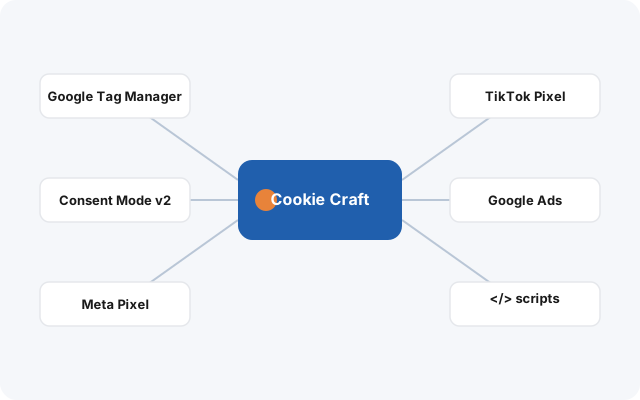
What Cookie Craft does with GTM
Publishes a default consent state before the container. Analytics and advertising states are available before GTM decides which tags may run.
Injects the code in the right positions. The GTM script goes early in the <head>; the noscript fragment goes at the very start of the <body> — including a fallback on WordPress installs that don’t expose the standard hook.
Reuses existing consent. On a return visit, or across subdomains of the same root domain, the valid choice is applied without showing a new banner.
Updates the states after the choice. New tags and events are gated immediately on accept or reject; a script already loaded on the current page isn’t torn down until the next page load.
GTM loads early. Tags still wait.
An important distinction, and one a lot of consent tools get wrong in their marketing: the GTM container can be present on the page before consent. That does not mean every tag inside it is allowed to run. Cookie Craft establishes the consent state first; GTM is then configured so each tag respects that state.
So the honest claim is not “GTM is blocked until consent”. It is: consent is set before GTM, and your tags are controlled by that state. That is what actually protects the visitor and keeps your measurement defensible.
Basic vs Advanced Consent Mode
Cookie Craft supplies the order and the states that both models need. Which one you run is a decision you make explicitly for the project — and it must be reflected identically in your cookie policy and your commercial copy.
| Model | What happens before consent | Implication for your claims |
|---|---|---|
| Basic | Google tags are held until the visitor interacts and grants consent. | You may say “Google measurement starts only after consent” — if that is exactly the published configuration. |
| Advanced | Google tags may fire with denied states, sending limited, cookieless signals for the refused purposes. | Do not claim “nothing leaves before consent”. Explain the limited, cookieless signals instead. |
Recommended setup (how Digital Craft configures it)
01
Create the container in the client’s name
The GTM account belongs to the company. The agency gets Admin or Publish access — it does not keep the container in its own account. Use one account per organisation and a Web container per coherent website ecosystem.
02
Use the current “Google tag”
Add a Google tag (not the old “GA4 Configuration”). A common recommended setup is to fire it on Initialization – All Pages, after Cookie Craft has published default consent; confirm the order in Preview / Tag Assistant. Verify send_page_view in the tag config rather than assuming it.
03
Gate every tag, then test three paths
Use built-in consent checks on each tag; enable Consent Overview as an audit so every tag has a justified state. Before publishing, test no-choice, reject-all and accept — then repeat with an existing cookie.
Connecting GA4 correctly through GTM
GA4 should be installed through the Google tag in your container, not hardcoded in the theme. Practically:
1. Create the GA4 property in the client’s account; check time zone and currency before any data is collected, because changing them later complicates reporting.
2. Add the Google tag in GTM with your GA4 ID, firing on Initialization – All Pages so it starts after the default consent state is set.
3. Leave the Google tag on built-in consent checks so it honours Consent Mode v2 — do not bolt on an arbitrary mix of triggers that can contradict the consent state.
4. Confirm events in GA4 DebugView and Realtime before marking anything as a key event or using it as a source for Google Ads conversions.
The division of labour is deliberate: Cookie Craft provides the consent state and the injection points; your tracking plan defines the events and conversions. For the full conversion model, see the GA4 & Google Ads page.
GTM questions
Does Cookie Craft install Google Tag Manager?
Yes. You enter your container ID and Cookie Craft injects the script into the <head> and the noscript component at the start of the <body>. Configuring the tags inside the container remains a separate activity.
Does GTM load before cookies are accepted?
The container can load early, after the default consent state has been published. Tags must respect Consent Mode and their own consent rules — a loaded container does not automatically grant permission to every tag.
Do I keep my existing container?
Yes. Cookie Craft provides the consent layer around your container — you do not rebuild it, and there are no snippets to paste per tag.
GTM in the right place — without giving every tag permission to fire.
Consent is available before your container makes its first decision.